


Flashback Trivia: Quiz Game
4.6223.00 Reviews
App Specs
- Version
- 1.0.50
- Updated On
- License
- Free
- Downloads
- 100,000+
- Developer
- Lucky Echo Labs
- Categories
- Trivia
- Platform
- Android
Screenshots
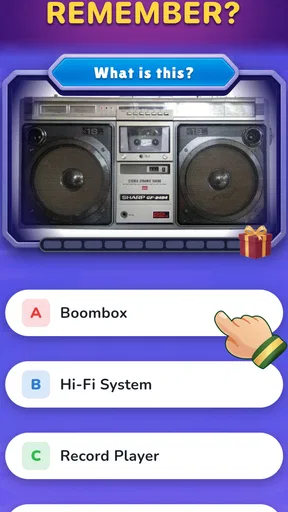
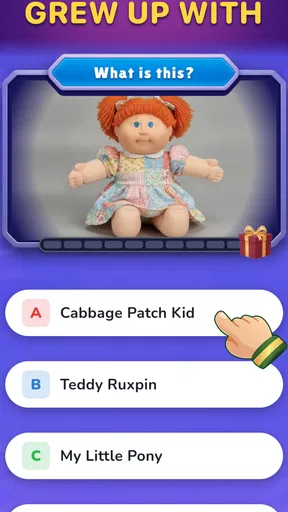
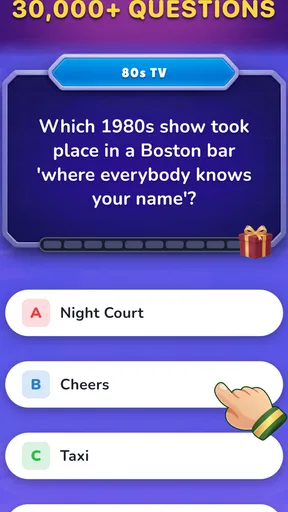
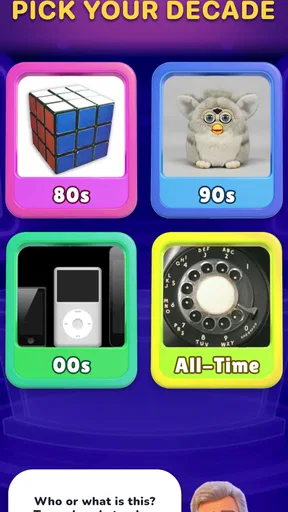
 Analysis by AppCompare
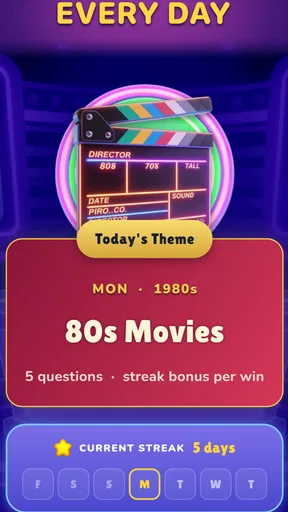
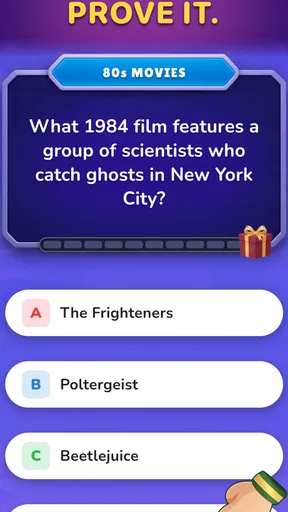
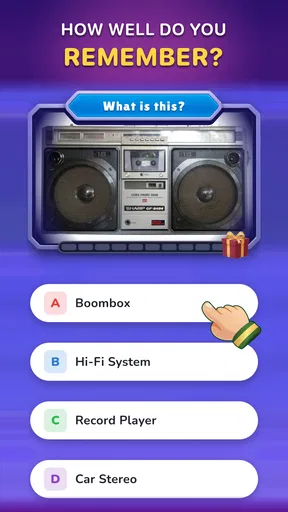
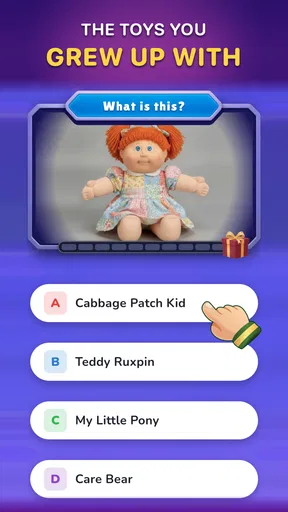
When I first tried Flashback Trivia: Quiz Game, I could tell it was meant for those in-between moments: a short break, a bit of nostalgia, and no pressure to turn a casual quiz into a serious contest. Its questions focus on pop culture from the 1980s, 1990s, and 2000s. That gives the game a clear identity from the start, whether you want to test your own memories or find out which decade a friend knows best.
It is a free trivia game from Lucky Echo Labs, with optional in-app purchases ranging from $0.69 to $19.99 per item. The age rating is Everyone, and the game can be played offline, which makes it especially appealing for commutes, waiting rooms, or trips where the connection is unreliable. I would approach it as a lightweight pop-culture diversion, not as a comprehensive quiz platform or a substitute for a carefully curated history resource.
What the decade-focused format feels like
The main appeal is the era-based subject matter. Rather than asking you to jump between unrelated general-knowledge topics, the game keeps its identity tied to pop culture from three familiar decades. That focus makes each question feel like part of the same kind of memory test: do you recognize the reference, remember the name, or know which era it belongs to?
Multiple-choice answers also make the experience approachable when your memory is hazy. You do not have to produce an exact response from scratch; you can compare the options and make an informed guess. I find that format particularly well suited to a relaxed quiz, because it gives newcomers a way in while still letting confident fans enjoy the challenge of recognizing details quickly.
There is a useful social angle, too. The decades do not mean the same thing to everyone: someone who grew up with the 1980s may have a different advantage from someone whose strongest memories are from the 2000s. Passing the phone around or reading questions aloud can turn that difference into a friendly conversation. The game works best in that setting when players treat wrong answers as prompts to reminisce rather than as proof that someone has poor pop-culture knowledge.
The offline option changes where I would use it. A quiz that depends on a live connection can be awkward on a train or in a spot with patchy reception; here, the stated ability to play without a connection makes it a more practical choice for those gaps in the day. I would still check that the game opens and is ready before heading somewhere without service, rather than assuming every part of an app behaves identically offline.
A low-pressure first session
For a first-time player, I would keep the initial session simple: open the game, start with the questions it presents, and answer at your natural pace. The goal is not to master every decade immediately. It is to see whether the style of questions and the multiple-choice format feel enjoyable to you.
Worth Reading Before You Choose

EA SPORTS FC Mobile 26 Is a Bigger Football Game, but It Takes Time

Flipboard Shows What News Apps Must Do Beyond the Feed

Switching to Android Auto Means Rethinking Your Driving Routine

Google Calendar Makes a Crowded Week Easier to Manage

Ludo King Makes the Most of the Minutes Between Plans

Baby Panda World Brings Quick Play to Modern Phones, but Its Game Library Feels Busy
My best practical tip is to notice what kind of uncertainty makes you hesitate. If you recognize a reference but cannot place its decade, that is different from not recognizing it at all. Treating those as separate memory gaps makes the quiz more rewarding: one answer may jog an era-based memory, while another may send you into a conversation about a song, show, or cultural moment you had forgotten.
A realistic first success could be as modest as working through a handful of questions during a coffee break and getting enough right to feel that the theme clicks. That is a better test of whether the game suits you than judging it by a single difficult question. Pop-culture familiarity varies widely, and an unfamiliar reference does not necessarily mean the game is too hard; it may simply point to a decade or subject you know less well.
Getting started without overthinking it
The game is listed at version 1.0.50 and requires Android 7.0 or later. Those details are useful to check before downloading, especially if you are setting it up on an older device. Since it is free to install but offers paid items, I would also make a deliberate choice about purchases before handing the phone to a child or using it in a group. The Everyone age rating makes it broadly accessible, but it does not remove the need to be mindful of optional spending.
With a 4.6 average from around 4,100 ratings, it has attracted a generally positive response from players. That is a reassuring sign for someone deciding whether to try a free quiz, though a rating cannot tell you whether its particular mix of decades matches your interests. I would use the first session to answer that personal question rather than treating popularity as a guarantee of a perfect fit.
The game has reached over 100,000 installs, and there are 223 written reviews. Those figures suggest that it has found an audience, while the written comments can offer a useful second perspective if you want to see what other players enjoy or find frustrating. I would read them with the same caution I apply to any quiz: people’s knowledge and expectations differ, so one player’s easy round may be another’s blind spot.
Turning a question into a small win
The most satisfying way to play, in my view, is to give yourself permission to guess and learn from the result. In a multiple-choice game, a close call can still be engaging: you narrow the options, make a choice, and discover whether your memory held up. If you already know the answer, you get a quick confidence boost; if not, the question may still prompt recognition or a useful conversation.
For a shared session, take turns choosing answers instead of letting the most confident person answer everything. That small adjustment gives quieter players room to participate and makes disagreements more fun. It also reveals which decade each person actually knows best, rather than allowing one pop-culture enthusiast to dominate the entire game.
For solo play, I would use it as a short reset between tasks rather than trying to make every session a long sit-down. A few questions can suit a break because the format is easy to understand and the subject is familiar enough to invite quick guesses. If a question catches your interest, pause to talk about the memory it brings up; the value here can be the reminiscence as much as getting a correct choice.
Where new players may get confused
The biggest expectation to manage is the meaning of “pop culture.” It is a broad label, but this game’s identity is specifically tied to the 1980s, 1990s, and 2000s. If you are hoping for science, geography, current events, or a wide-ranging general-knowledge contest, this is not the right match. I would choose a general trivia game instead when variety across academic and everyday subjects matters more than a nostalgic theme.
Another potential mismatch is assuming that a decade-based quiz will automatically favor your own childhood. Questions span three eras, so knowing one period well does not mean every question will feel familiar. Someone who mainly remembers the 2000s may need to make more educated guesses on 1980s references, and that is part of the trade-off of a multi-decade format rather than a defect in the basic idea.
It is also worth separating “free to play” from “no paid options.” The game costs nothing to install, but in-app purchases are available, with individual items priced from $0.69 to $19.99. I would not buy anything just to find out whether the core quiz appeals to me; first see how the free experience fits your habits, then decide whether an optional purchase offers something you genuinely want.
Offline play is a meaningful convenience, but I would not interpret it as a promise that every related function is available without internet access. For the straightforward purpose of answering trivia away from a connection, the offline capability is the useful point. If you are planning a long journey, testing the game beforehand is a sensible way to avoid discovering a setup issue at the moment you want to play.
Making the quiz work for different players
One small way to make a mixed-age group session fairer is to let each person choose an answer before anyone discusses the options. Otherwise, the quickest player can steer the group toward a choice before others have had time to think. Agreeing to reveal answers together keeps the conversation lively while giving less confident players a genuine chance to contribute.
For a family visit, I would use the decade differences as the point of the activity rather than trying to keep score in a strict way. A younger player may recognize a 2000s reference that an older relative misses, while the older player may have a better memory for earlier entertainment. That turns the game into an easy conversation starter, though it will work less well if everyone wants a formal competition with detailed scoring rules.
It also helps to play when people can hear one another clearly if questions are being read aloud. In a noisy café or busy waiting area, passing a phone around may be easier than trying to make the whole group follow along. That is a practical trade-off of using a phone-based quiz socially: it is convenient for a small circle, but it is not the same as a large-screen party game designed for a room.
Who should try it, and who may prefer something else
I would recommend it to people who enjoy pop-culture questions, like comparing memories across generations, or want a simple game to fill short stretches of downtime. It is particularly easy to imagine at a family gathering where several people recognize different eras, or during a commute when you want something more interactive than scrolling. The multiple-choice structure lowers the barrier for casual players, and offline play makes it useful beyond a dependable home connection.
I would steer away from it if you want deep explanations after every answer, a broad syllabus of subjects, or a competitive system built around elaborate player progression. Those are different expectations from a focused nostalgic quiz. Likewise, if decade-specific entertainment references are not your thing, a word game, puzzle, or general-knowledge app will probably offer a better reason to return.
Compared with the usual alternatives in trivia, the defining choice here is its narrow pop-culture lens. A conventional general-knowledge quiz offers more subject variety and may suit a group with very different interests. A dedicated quiz about one show, film series, or music artist can go much deeper for fans of that single topic. This game sits between those approaches: broader than one-franchise trivia, but more thematically focused than an all-purpose quiz.
There is another useful distinction when choosing between those options: a broad quiz is better when you want to discover what you do not know, while a specialist quiz is better when you already have one passion you want to test in depth. This decade-spanning format is for the middle ground, where familiar entertainment references are welcome but no single fandom needs to dominate. I would choose it for variety within nostalgia, not for exhaustive coverage of any one corner of pop culture.
A sensible next step after the first round
After trying a few questions, I would decide based on the moments that felt good rather than on a score alone. Did you enjoy recognizing a reference? Did the answer choices help you make an educated guess? Did playing prompt a memory or a friendly argument? If so, keep it handy for short breaks or bring it out when people who know different decades are together.
If you are deciding whether to keep it installed, notice whether you naturally want to play another short session later, rather than treating one sitting as a test you must pass. The best fit is likely to be someone who enjoys occasional prompts and conversation, not someone who needs a daily streak or a structured study plan to stay interested. That distinction can save you from expecting a casual memory game to provide the long-term goals found in more elaborate trivia apps.
If the questions mostly feel outside your interests, there is no need to push through just because trivia sounds appealing in theory. The game is strongest when its decades and pop-culture focus already mean something to you. A general quiz is the better next choice when you want wider subject coverage; a deeper specialist quiz is better when you want one specific fandom explored in detail.
My overall take is that Flashback Trivia: Quiz Game has a clear, approachable reason to exist: it turns memories of three decades of pop culture into an easy multiple-choice pastime. I like the combination of a low-pressure format and the option to play offline, while its focused subject matter and optional purchases are worth keeping in mind. If you want a casual nostalgia test rather than an all-purpose trivia challenge, I would give it a try and let the first few questions decide whether it earns a place in your downtime.
Pros
- Quick rounds make it easy to play during short breaks.
- Questions span multiple topics
- offering variety between rounds.
- A familiar trivia format is easy for new players to pick up.
- Replayable quizzes provide a reason to return and improve your score.
- Works well as a casual game to share with friends or family.
Cons
- Trivia answers can depend on regional or cultural knowledge.
- Some questions may feel too easy for experienced quiz players.
- Repeated questions can make longer play sessions less engaging.
- Players seeking a story or deeper gameplay may find it limited.
- Progress may rely on an internet connection or in-app purchases.
FAQs for Flashback Trivia: Quiz Game
What is Flashback Trivia: Quiz Game?
Flashback Trivia: Quiz Game is a quiz app focused on questions that test your knowledge of past decades and popular culture. You can expect prompts about topics such as music, films, television, celebrities, and memorable events, depending on the available quiz content. It is designed for quick rounds as well as casual play, making it a good fit for anyone who enjoys nostalgia and general-knowledge challenges.
How does a typical game in Flashback Trivia work?
A typical round presents a trivia question and asks you to choose from the available answers. The app may track your progress or score as you move through questions, so paying attention to details and answering quickly can make the experience more engaging. Exact rules, scoring, and round length can vary by game mode or app version, so check the in-app instructions before starting a challenge.
Can I play Flashback Trivia: Quiz Game offline?
Offline access depends on how the app delivers its questions and features. Some trivia content may be available after it has loaded, while other modes, updates, leaderboards, or promotional features may require an internet connection. If you plan to play while travelling or without reliable data, open the app and test the mode you want to use beforehand. Also check its store listing for current connectivity requirements.
Is Flashback Trivia: Quiz Game free, and does it include ads or in-app purchases?
The app’s price and monetization can differ by platform, region, and version. It may be free to download while offering optional purchases or displaying advertisements, but those details should be confirmed on the Google Play Store or Apple App Store listing before you install it. Review the purchase information carefully, especially if children will use the device, and check whether any paid items are optional or needed to access particular features.
Is Flashback Trivia: Quiz Game suitable for children, and what should I check before downloading?
Trivia can be enjoyable for a range of ages, but suitability depends on the questions, advertising, and any social or purchase features included in the current version. Before downloading, review the app’s age rating, privacy details, and permissions in your device’s app store. Parents may also want to try a round first and use the device’s purchase controls or parental settings if younger players will be using the app.


